
Exploring the Power of TMDL View in Power BI: Building Reusable, Manageable, and Scalable Semantic Models
Introduction
As Microsoft continues to evolve the Power BI and Fabric ecosystem, one of the most exciting additions for developers and modelers is the TMDL View (Tabular Model Definition Language View). This new feature introduces a code-centric approach to working with semantic models, combining the best of both worlds — the flexibility of scripting and the structure of a visual model designer.
Whether you are a new Power BI user exploring Fabric or an experienced developer managing enterprise-scale datasets, understanding the TMDL View can help you streamline model management, enable version control, and significantly boost productivity.
What is TMDL View?
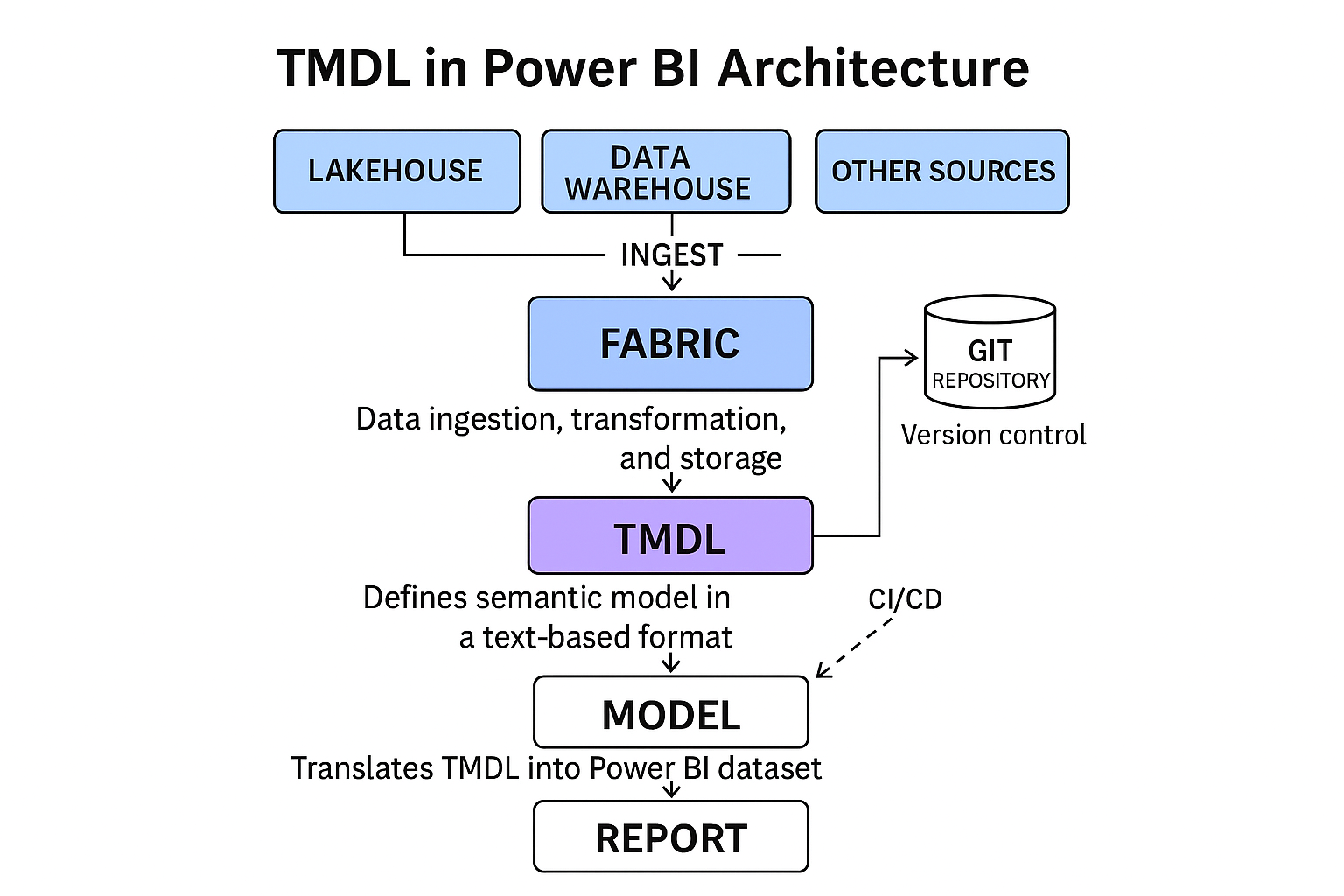
TMDL stands for Tabular Model Definition Language — a human-readable, text-based representation of a Power BI semantic model.
In essence, it’s a code editor for your data model, where everything that defines your model — tables, relationships, measures, hierarchies, perspectives, roles, and partitions — can be edited, searched, and versioned just like source code.
Key Features of TMDL View
- Rich Code Editor: Offers syntax highlighting, auto-formatting, and IntelliSense support.
- Search and Replace: Quickly locate and update measures or column names across large models.
- Keyboard Shortcuts: Similar to modern code editors like VS Code, enabling fast navigation and editing.
- Formatting and Structure: Ensures consistency across developers working on the same semantic model.
Error Handling and Validation: Provides real-time syntax checks and clear error messages, helping prevent invalid model changes and ensuring model integrity.
Why TMDL Matters
Before TMDL, working with large Power BI models primarily involved using the Model View or Tabular Editor. These tools worked well for smaller models but could become cumbersome when handling hundreds of measures or complex data relationships.
TMDL bridges that gap by offering:
- The transparency of code
- The power of modern editing tools
- And the discipline of version control
This makes it easier to manage models in collaborative, enterprise environments where data models evolve continuously.
Enhancing Reusability Through TMDL
One of the biggest advantages of adopting TMDL is its support for reusability.
Developers can now copy, share, and maintain model components — such as measures and calculated columns — across multiple semantic models.
Example:
Imagine you maintain multiple Power BI datasets across departments — Sales, Finance, and Operations.
If you define a common set of KPIs (like Total Revenue, Gross Margin, Customer Count) in one TMDL file, you can reuse those definitions across different models simply by copying the text definitions or integrating them through version control.
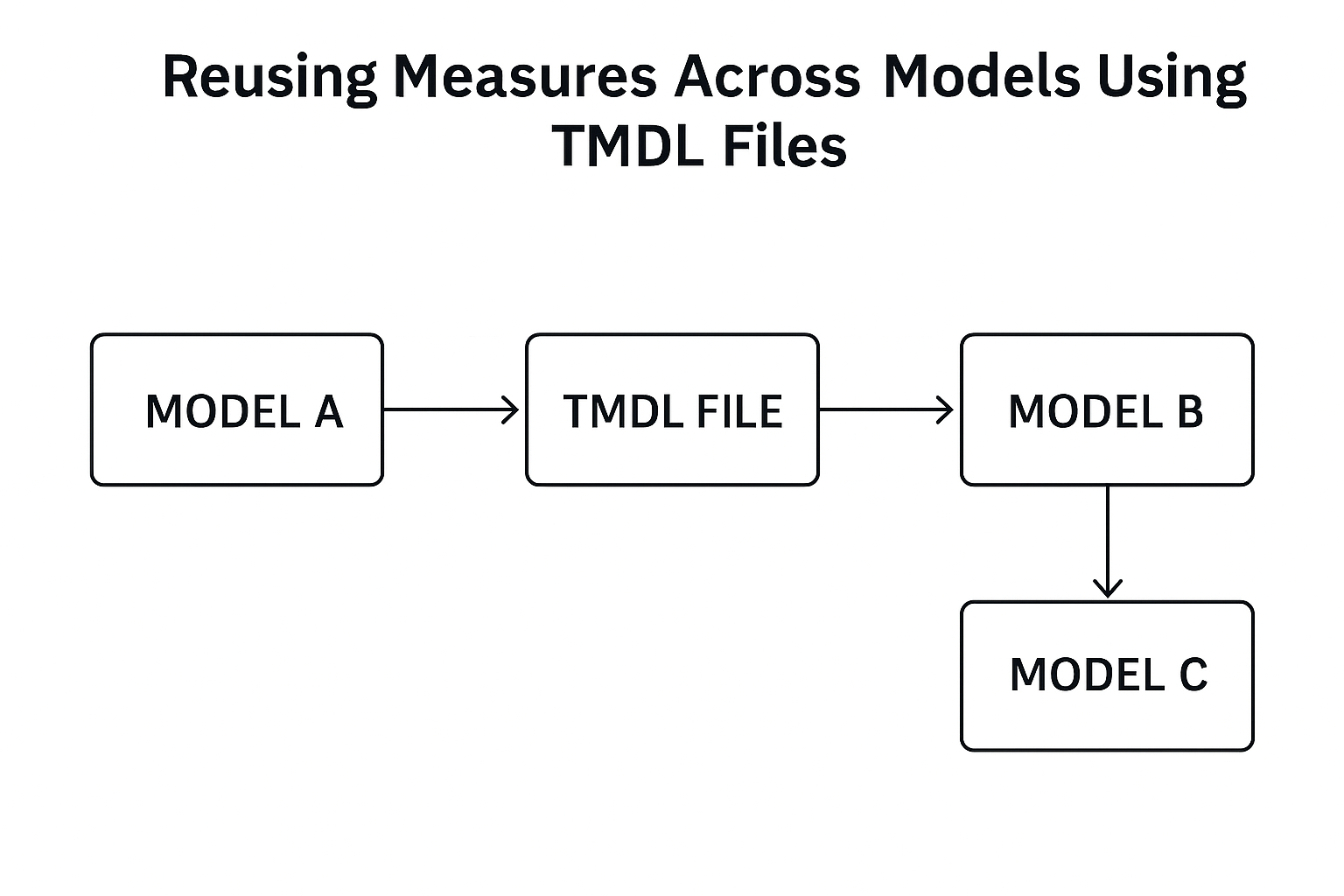
This capability eliminates repetitive work and ensures consistency of business logic across reports.
4. Choose a mode: Quick Prototype, Interpretable, Best Fit or Custom.
Creating Perspectives in the TMDL view
Perspectives are a way to create personalized or simplified views of a model for specific audiences.
For example, a Finance analyst may only need access to financial KPIs, while a Sales manager cares about customer acquisition metrics.
With TMDL View, you can define perspectives in plain text — something like:
createOrReplace
perspective MeasureSalesView
perspectiveTable Sales
perspectiveMeasure ‘TotalSales’
perspectiveMeasure ‘Sales Per Sq Ft’
This approach makes it easy to:
- Create and manage multiple perspectives quickly.
- Copy or modify perspectives for different user groups.
- Keep personalized visuals aligned with model updates.
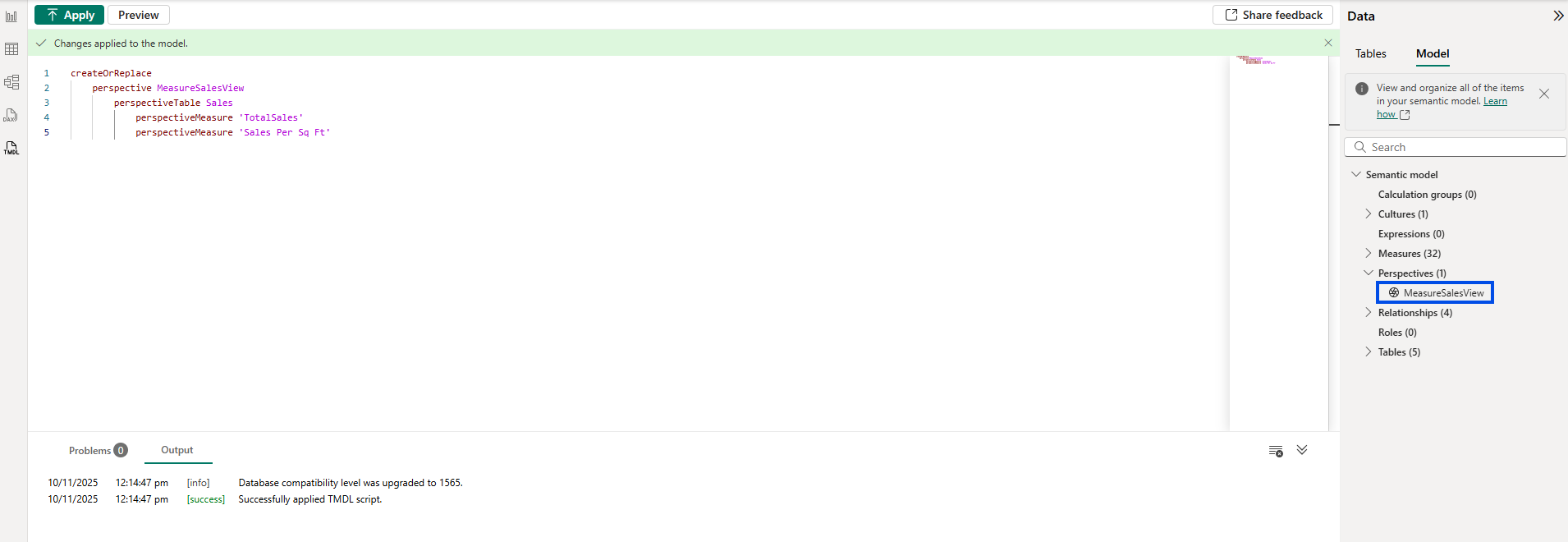
For Power BI developers, this is a massive productivity win, as you can now maintain personalized semantic layers without heavy GUI-based manual work.
Changing Storage Modes with TMDL View
In traditional Power BI, switching between Import and DirectQuery modes often meant navigating through the interface and risking model corruption if not done carefully.
With TMDL View, you can change storage modes directly in the model definition. For instance:
table “FactSales” {storageMode = “DirectQuery”}
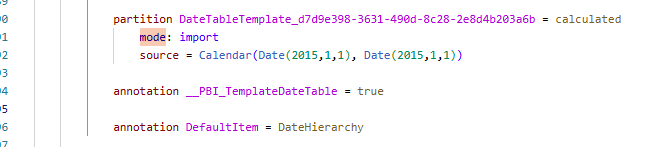
This makes it simple to:
- Test performance differences between modes.
- Configure hybrid tables more efficiently.
- Document the model’s architecture clearly.
Use Case:
When migrating from on-premise SQL data to Fabric Lakehouse, teams can easily switch from Import to DirectQuery mode through TMDL for performance optimization, no need to rebuild tables
Advantages of using TMDL View
To summarize the core advantages that make TMDL an indispensable addition for Power BI developers.
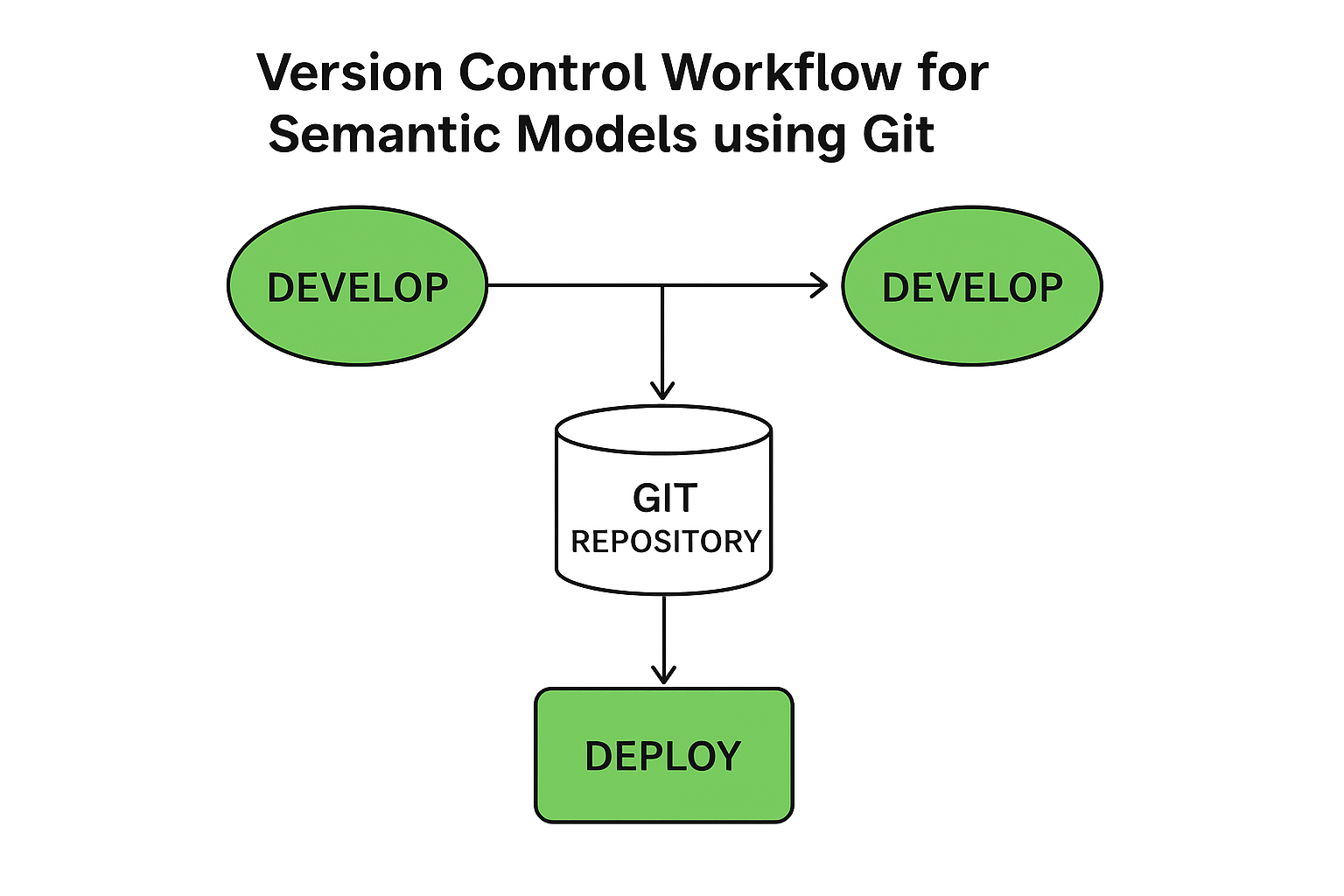
- Version Control for Semantic Models
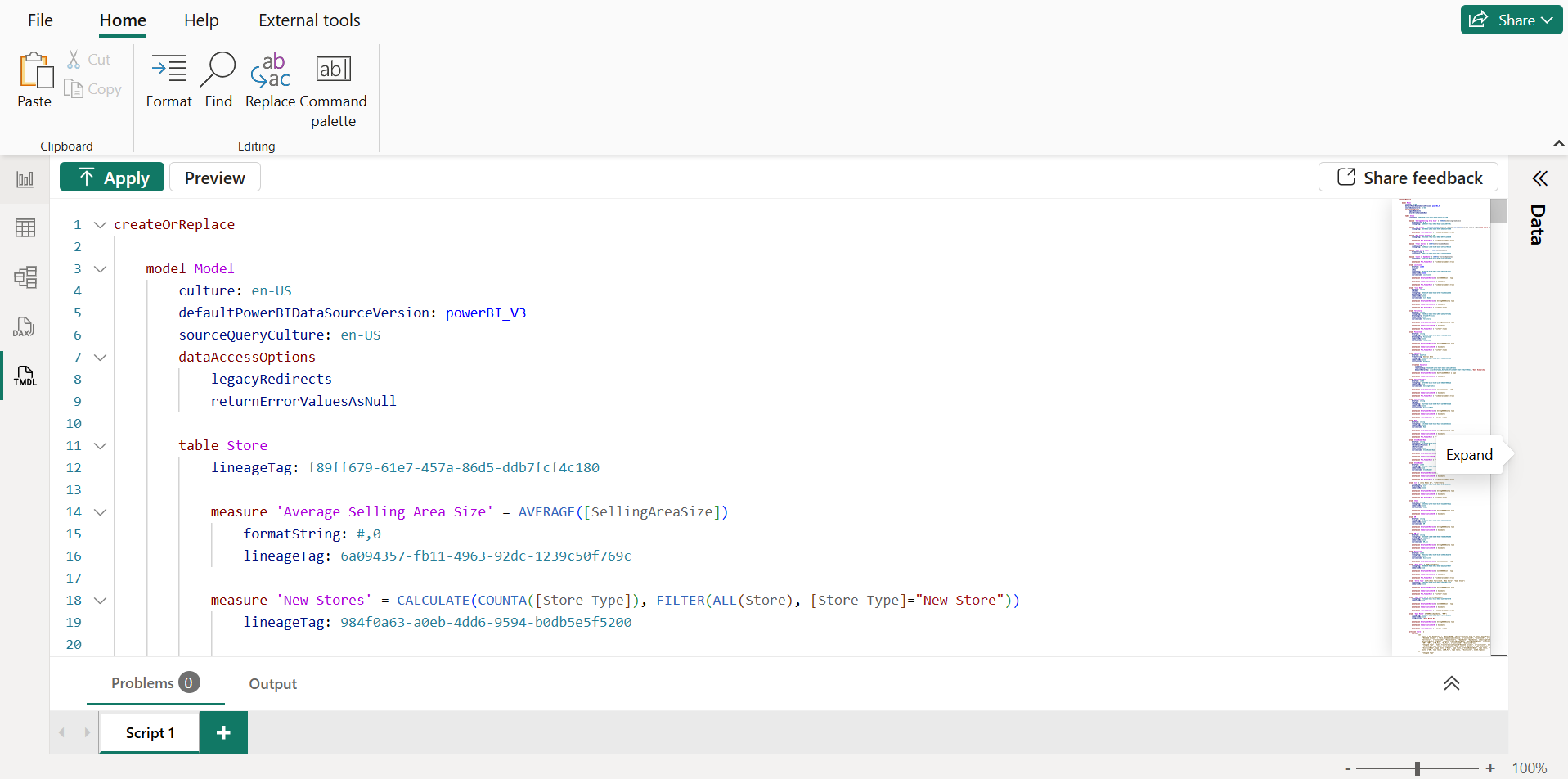
Since TMDL models are text-based, they can be stored in Git repositories, enabling:
- Full version tracking of model changes.
- Easier collaboration between multiple developers.
- Rollback and comparison of historical model versions.
This finally brings semantic modeling into the world of DevOps and CI/CD, aligning with enterprise data engineering practices.
2.Bulk Measure Creation and Editing
Building dozens of DAX measures in the Power BI UI can be tedious.
TMDL allows you to:
- Create or modify measures in bulk.
- Use find and replace to standardize naming or formulas.
- Copy-paste measure sets from other models.
For example, you can define multiple measures in one go:
createOrReplace
table Sales
measure ‘Average Unit Price’ = IF([Total Units This Year]<>0, [TotalSalesTY]/[Total Units This Year], BLANK())
measure ‘Store Count’ = DISTINCTCOUNT([LocationID])
measure ‘Total SalesLY’ = CALCULATE([TotalSales], Sales[ScenarioID]=2)

3 .Search and Replace Functionality
Just like in a text editor, you can find and replace across the entire model.
This is particularly helpful when:
- Renaming columns or tables.
- Adjusting naming conventions.
- Migrating between environments (e.g., changing schema or database names).
For large models, this is a game-changer turning hours of manual updates into minutes.
4 .Moving Measures Between Models
TMDL simplifies model-to-model measure migration.
You can copy a measure or a set of measures from one semantic model and paste it into another, maintaining structure and formatting.
This helps standardize KPIs across different workspaces, ensuring the same logic is used company-wide.
Practical Use Cases
Here are some real-world examples of how organizations can leverage TMDL View:
| Use Case | Description | Impact |
| Model Governance | Use Git integration to manage and audit model changes. | Improves accountability and reduces errors. |
| Data Team Collaboration | Multiple developers can edit TMDL files simultaneously. | Enables true team-based modeling. |
| KPI Standardization | Reuse DAX formulas across departments. | Ensures consistency in business metrics. |
| Performance Optimization | Quickly adjust storage modes and query configurations. | Improves refresh and query performance. |
| Training and Documentation | Text-based models are easier to read and document. | Helps onboard new Power BI users faster. |
Conclusion
The introduction of TMDL View in Power BI marks a pivotal moment for model developers and data engineers. It brings software engineering best practices — version control, scripting, reusability into the world of semantic modeling.
By mastering TMDL, teams can:
- Build scalable, maintainable models.
- Collaborate efficiently across projects.
- Standardize KPIs and data definitions organization wide.
For both beginners exploring Microsoft Fabric and advanced Power BI professionals managing enterprise datasets, TMDL View offers a unified, flexible, and modern way to manage your semantic models making Power BI not just a visualization tool, but a true enterprise-grade data platform.
Blog Author

Gaurav Patil
Power BI Developer
Intellify Solutions