Is Your AI Giving You Wrong Information?
A simple guide for anyone using Claude, ChatGPT, Gemini, Copilot, or other AI tools.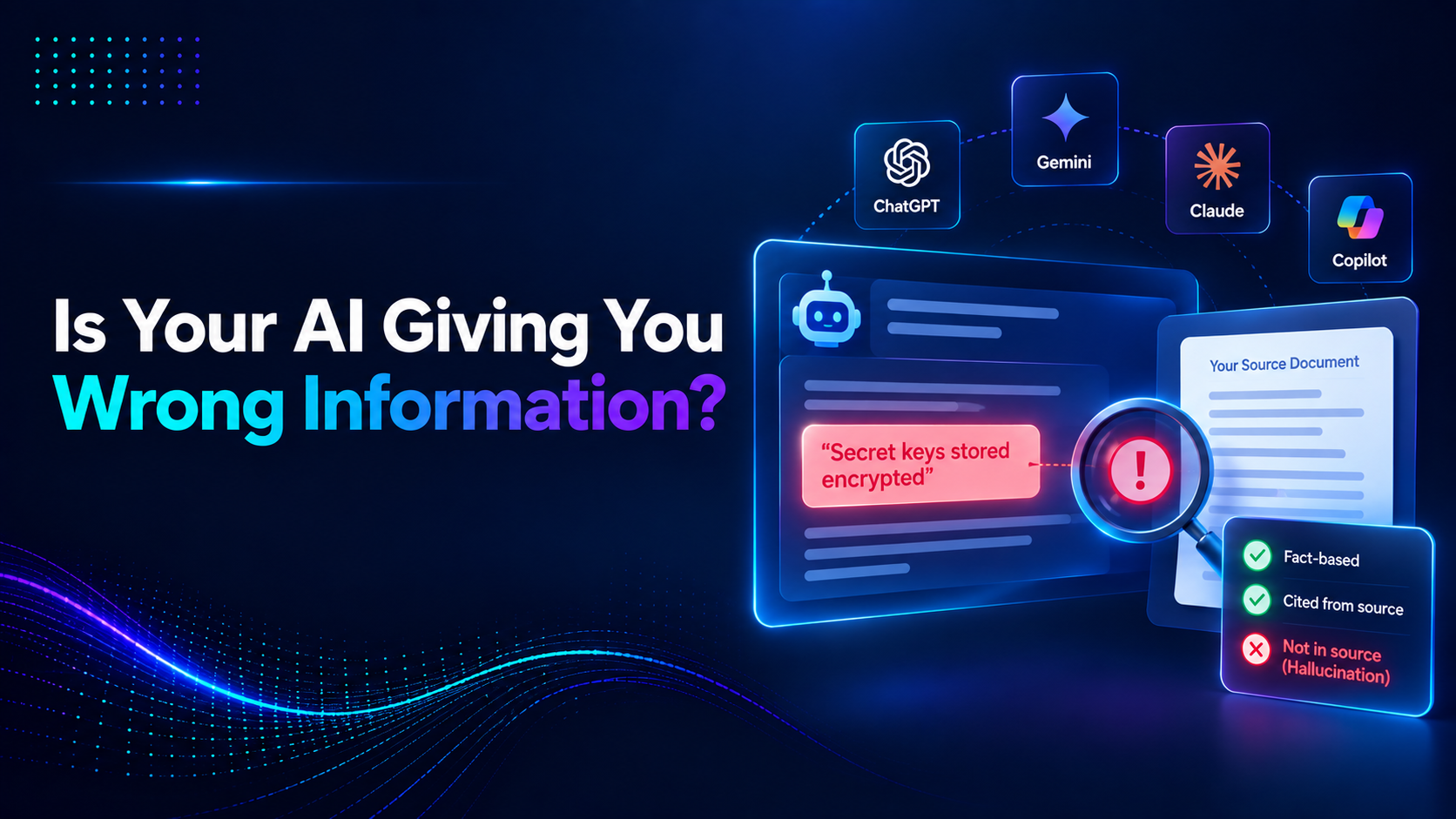
Table of Content
1. This article will help you understand
3. Real-world example: catching AI hallucinations in action
4. Groundedness Scoring: Your AI’s Truth Meter
5. What does a groundedness score actually look like?
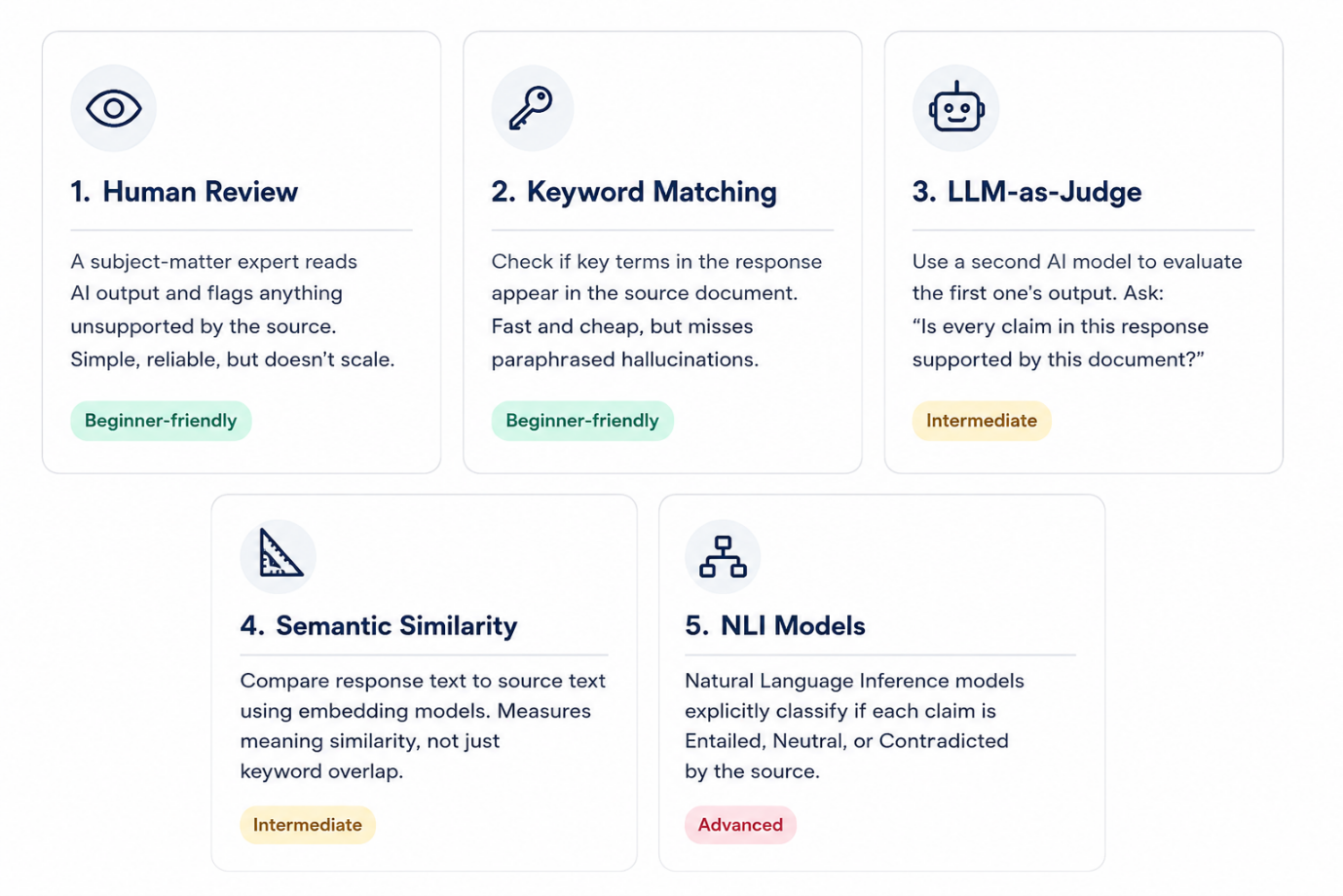
6. 5 ways to Detect Hallucinations
AI is everywhere today. People use it to write emails, summarize documents, create presentations, answer customer questions, prepare reports, and even help with studies and research.
Most of the time, AI feels incredibly helpful. It saves time, reduces repetitive work, and often produces surprisingly good results.
But there is one important thing every AI user should know:
AI can sometimes give information that sounds completely correct even when it is wrong.
This does not happen only to software engineers or data scientists. It can affect business owners, managers, employees, students, teachers, and anyone who relies on AI-generated content.
This article will help you understand:
• Why AI sometimes gives incorrect information,
• How to spot warning signs,
• Simple ways to check whether an answer is trustworthy,
• And practical habits that make AI safer for everyday use.
So, Is AI Lying?
Not really.
AI does not intentionally lie. It works by predicting what words are most likely to come next based on patterns it has learned from large amounts of text.
Because of this, it can occasionally fill in missing details with information that sounds believable but is not actually true.
For example:
- inventing a policy that does not exist,
- adding features to a product that were never discussed,
- creating statistics without a real source,
- or confidently explaining something that it is uncertain about.
The biggest challenge is that the answer often sounds professional and confident, which makes it easy to trust.
Real-world example: catching AI hallucinations in action
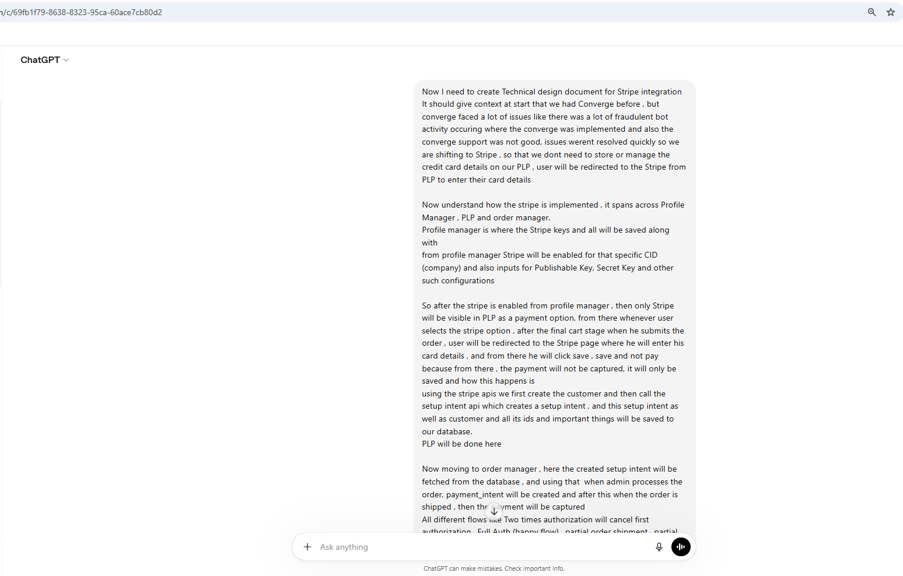
This one isn’t hypothetical it happened to us. We were using ChatGPT to generate a Technical Design Document (TDD) for a Third-Party integration. We gave it a thorough, detailed prompt covering the full architecture.
We were explicit: “Ask me questions if you have any doubts do not assume things.”
The AI generated a well-structured, professional-looking TDD. Most of it was accurate. But buried in Section 7.2 Key Management was this:
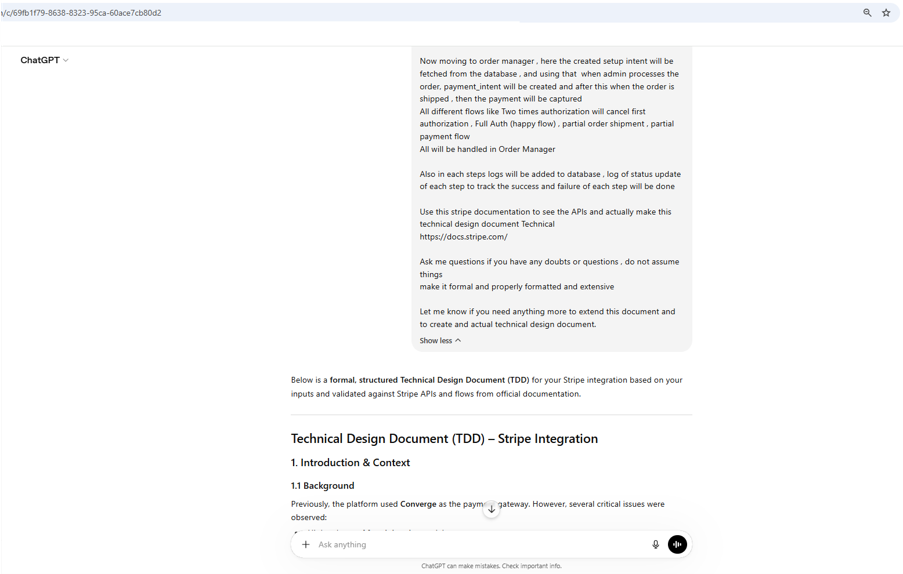
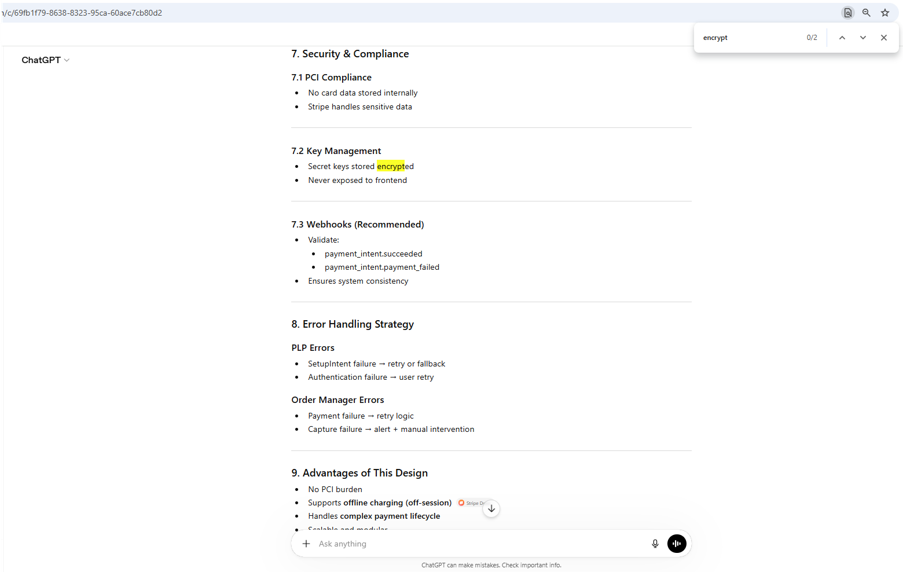
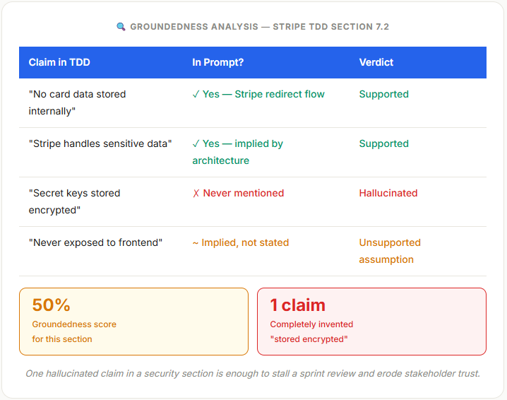
The AI got most of the things right but no context about the encryption was given, but still It hallucinated and added a wrong point Secret keys stored encrypted. It invented a change that doesn’t exist. This causes a confusion and questioning in the management.
Imagine if that document had been shared directly with management or a client:
- teams could start discussing a feature that was never planned,
- developers might implement unnecessary work,
- and stakeholders could lose confidence in the documentation.
This is why AI-generated content should be reviewed the same way you would review work from a new team member, helpful but not automatically correct.
Now let’s run a quick groundedness check on just that section:
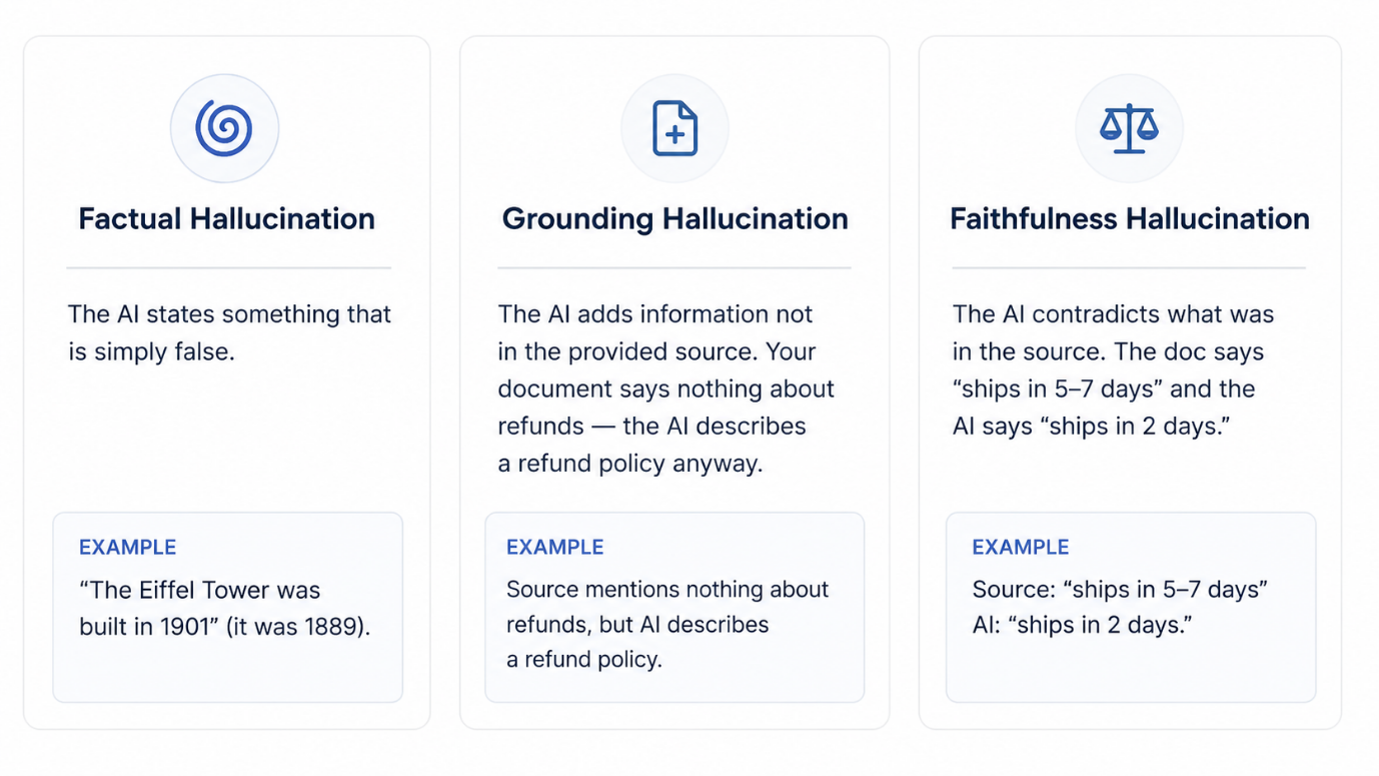
The Three Flavours of Hallucination
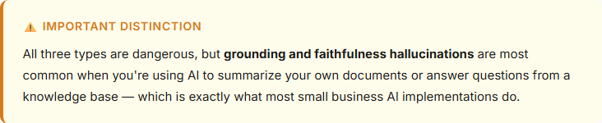
Why this matters for your business (more than you think)
You might be thinking: “We’ll just have humans review the output.” Valid for now. But as AI gets embedded deeper into workflows, that safety net gets thinner. And even occasional hallucinations can be very costly.
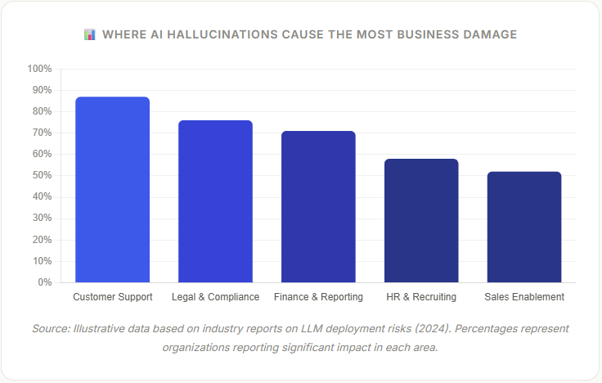
The business consequences are real: wrong information to a customer can trigger complaints or chargebacks, incorrect summaries of contracts can lead to costly misunderstandings, and wrong information in a compliance document can have regulatory consequences.

Groundedness scoring: your AI’s truth meter
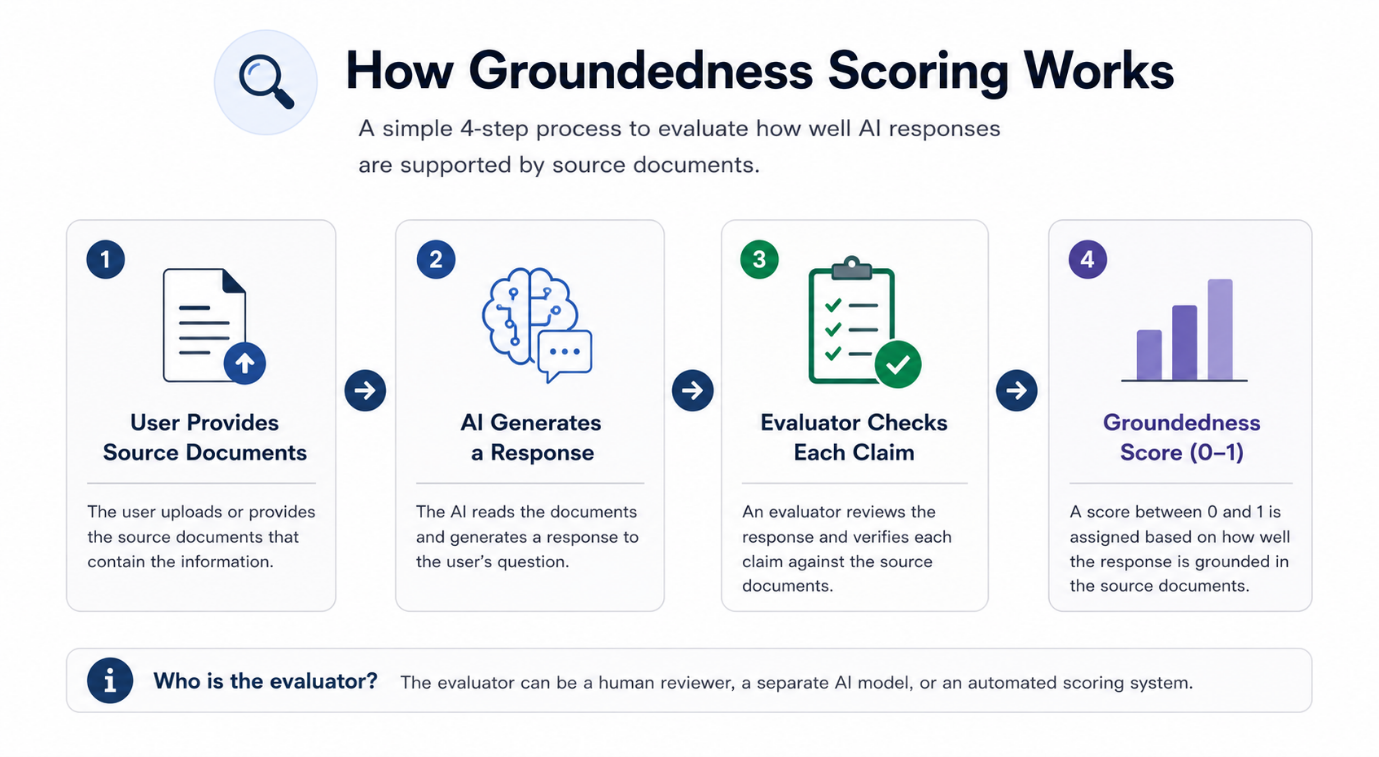
Here’s where things get practical. Groundedness scoring is a way of automatically measuring how well an AI’s response is supported by the source material it was given.
Think of it as a simple question: Does every claim in this response actually come from the documents I provided?
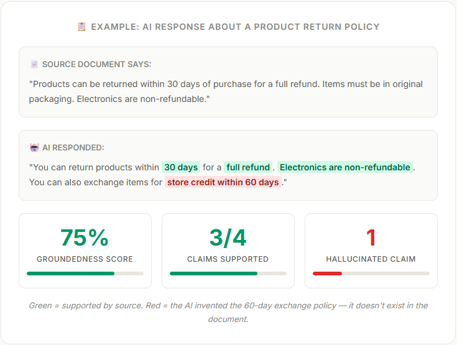
What does a groundedness score actually look like?
A groundedness score is typically a number between 0 and 1 (or 0–100%). Here’s a simple example to make it concrete:
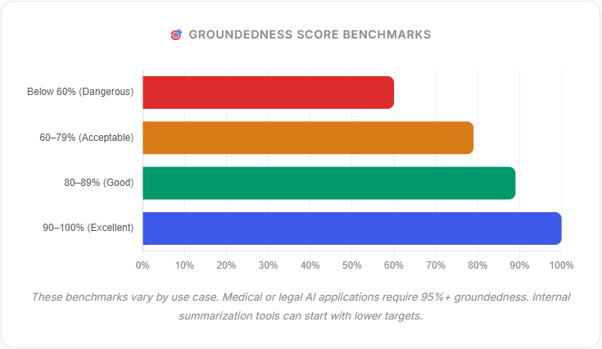
What score should you aim for?
5 ways to detect hallucinations (ranked by difficulty)
Good news: you have options. Here’s a practical menu of hallucination detection techniques, from the simplest to the most sophisticated.
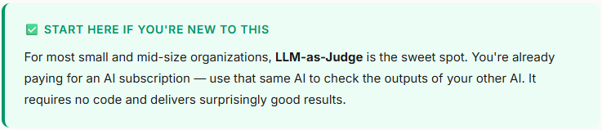
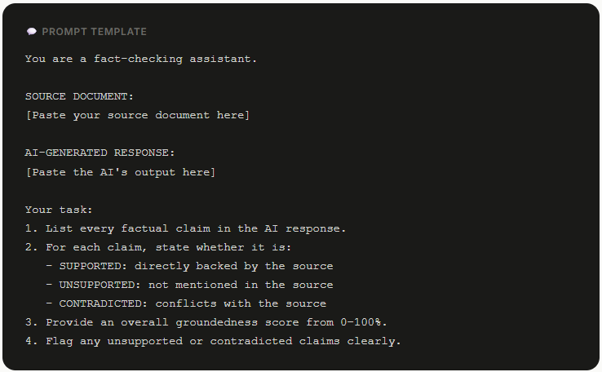
The “LLM-as-Judge” prompt template you can use today
Quick wins: 3 prompt improvements that reduce hallucinations today
Add a Grounding Instruction: Start every system prompt with “Only answer based on the provided documents. If the information is not in the documents, say ‘I don’t have that information.'”
Require Citations: Ask the AI to end every answer with (Source: quote the exact sentence from the document you based this on). If it can’t quote it, the claim is probably invented.
Enable Uncertainty Expression: Explicitly tell the AI: “If you’re unsure, say so don’t guess.” Many models default to confident-sounding answers even when they’re not sure.
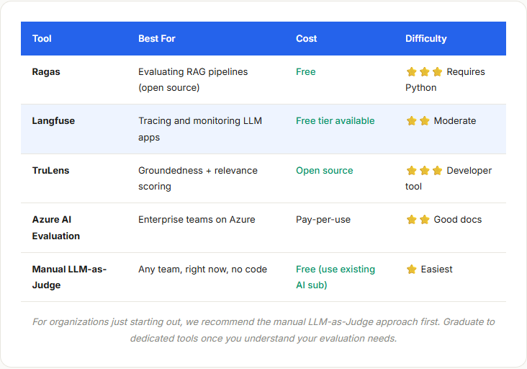
Tools worth knowing about
You don’t need to build everything from scratch. Several tools now exist specifically for evaluating AI output quality. Here’s an honest look at what’s available
Before you go: your hallucination readiness checklist
☐ I know which AI tools my team is actively using
☐ I’ve identified my top 2–3 highest-risk AI use cases
☐ I understand the difference between factual, grounding, and faithfulness hallucinations
☐ I know what groundedness scoring is and why it matters
☐ I have at least one hallucination detection method ready to try
☐ My team’s AI prompts include grounding and citation instructions
☐ I have a plan for regular spot-check monitoring