
PROMPT ENGINEERING PLAYBOOK
Overview
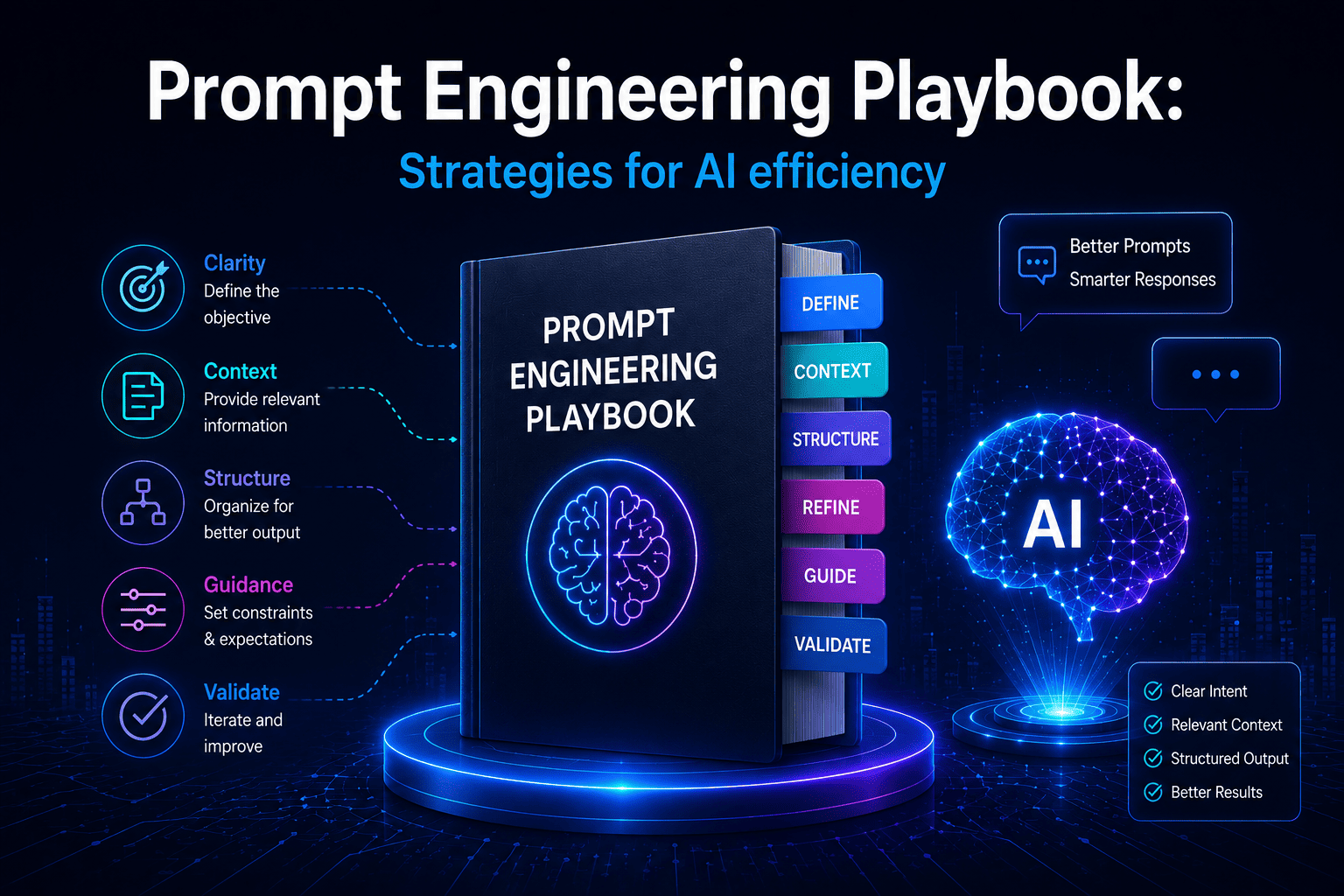
Most teams adopting generative AI discover the same thing within a few weeks: the model is rarely the bottleneck. The bottleneck is how you ask. The same model that drafts a flawless customer email in one prompt will invent a refund policy in the next — and the only thing that changed was the instruction.
Prompt engineering is the discipline of writing those instructions deliberately, so that outputs are accurate, consistent, and safe enough to put in front of customers or build into a workflow. It is less about clever wording and more about removing ambiguity. This playbook lays out the techniques that matter most for business use, the use cases they map to, the mistakes to avoid, and how to run prompts reliably at scale.
Why Prompt Engineering Is a Business Skill, Not a Hack
Early on, prompting felt like a trick — a few magic phrases that nudged better answers out of a black box. In production that framing breaks down fast. A prompt is the contract between your business intent and the model’s behaviour. It defines the role the model plays, the information it is allowed to use, the format it must return, and the lines it must not cross.
That makes prompt design a control layer, not a party trick. A well-built prompt is the difference between an assistant that resolves a support ticket and one that confidently invents a policy that doesn’t exist. As models get more capable, good prompting matters more, not less, because you are handing more responsibility to the output.
The Anatomy of a Production-Grade Prompt
Reliable prompts tend to share the same skeleton. You don’t need every element every time, but naming them helps you spot what’s missing when an output goes sideways:
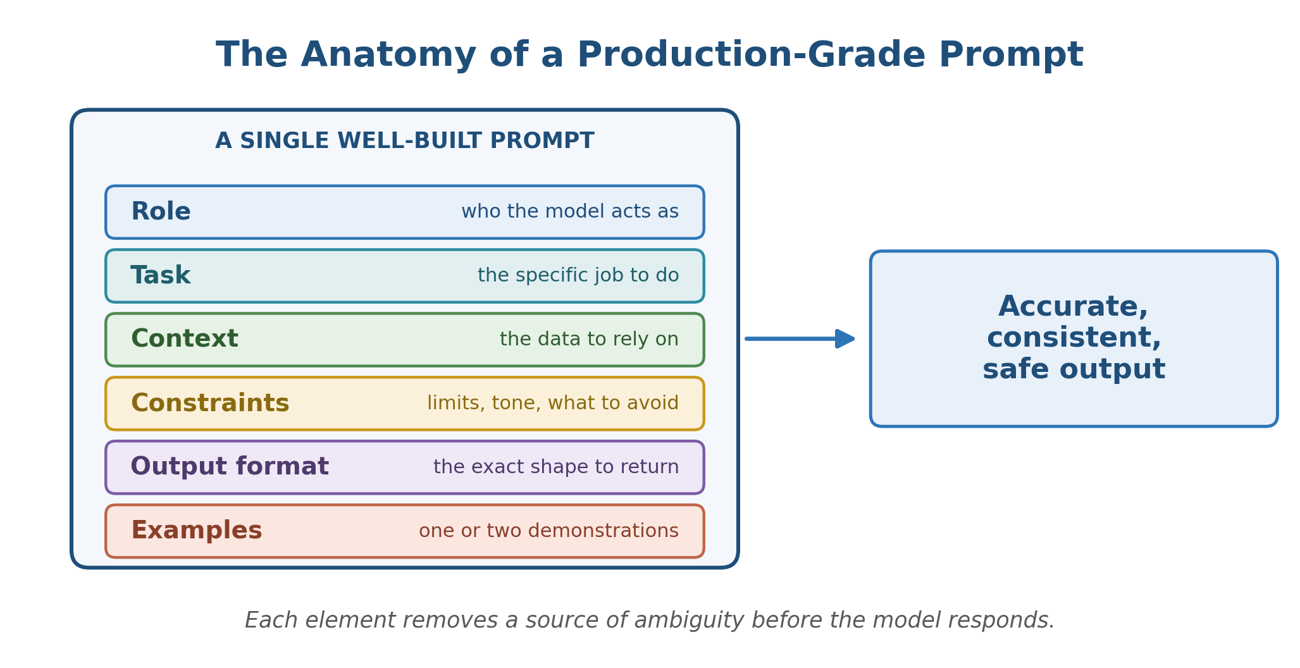
- Role — who the model is acting as (“You are a senior support agent for an enterprise SaaS company”).
- Task — the specific job, stated as an instruction, not a hope.
- Context — the data the answer must be based on: the customer’s message, a policy document, retrieved records.
- Constraints — length, tone, what to do when unsure, and what is off-limits.
- Output format — the exact shape you expect back: a paragraph, a JSON object, a table, a yes/no.
- Examples — one or two demonstrations of a good answer, which often teach more than a paragraph of rules.
Rule of thumb
If a new employee couldn’t complete the task from your prompt alone — because it’s vague, missing context, or doesn’t say what “done” looks like — the model can’t either. Write the prompt as an onboarding instruction, not a search query.
The Plays: Eight Techniques That Do the Heavy Lifting
These are the moves you’ll reach for again and again. Treat them as a toolkit — most strong business prompts combine three or four.
- Be ruthlessly specific. Replace “summarize this” with “summarize this in three bullet points for a non-technical executive, each under 20 words.” Ambiguity is where quality leaks out. Specify audience, length, and purpose.
- Assign a role. Telling the model who it is sets vocabulary, tone, and judgment. “Act as a compliance reviewer” produces different output than “act as a marketer,” even on the same document.
- Show examples (few-shot). A couple of input-output pairs anchor format and style far more reliably than description alone. Include at least one tricky or edge case so the model learns the boundary, not just the easy path.
- Ask for step-by-step reasoning. For analysis, classification, or maths, instruct the model to work through its reasoning before giving an answer. This reduces careless errors — though for customer-facing output you may keep the reasoning hidden and return only the conclusion.
- Specify the output format. If a downstream system consumes the result, demand strict structure: “return only valid JSON with keys name, amount, and date; use null if a value is missing.” Vague formatting is the top cause of brittle AI pipelines.
- Ground the model in your data. Don’t rely on what the model “knows.” Paste in or retrieve the relevant policy, record, or document and instruct it to answer only from that source. This is the single biggest lever against hallucination.
- Set constraints and guardrails. Tell the model what to do when it isn’t sure (“if the answer isn’t in the provided text, say you don’t know and offer to escalate”) and what it must never do (quote prices, give legal advice, promise refunds).
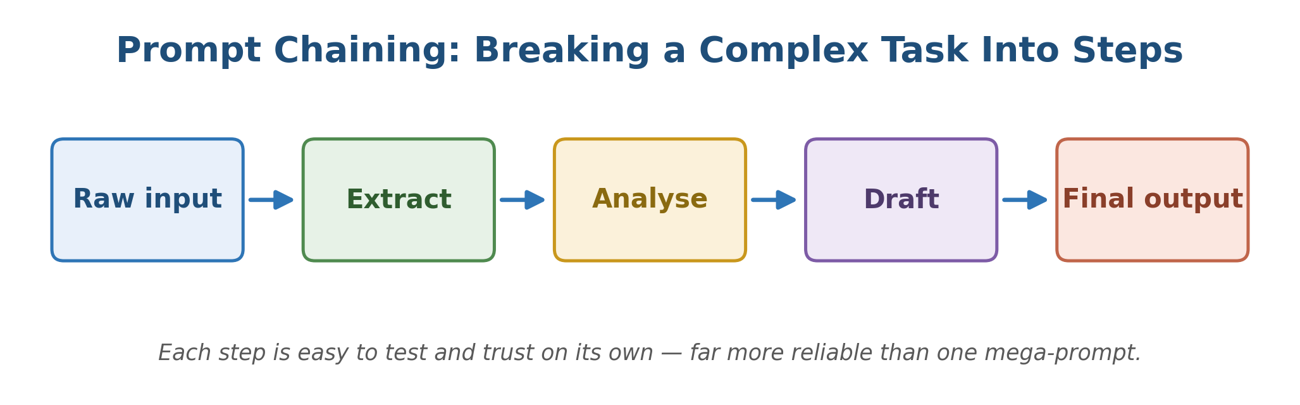
- Decompose complex tasks. Instead of one mega-prompt, chain smaller steps: extract, then analyse, then draft. Each step is easier to test, debug, and trust than a single instruction trying to do everything at once.
Mapping the Plays to Common Business Use Cases
The right combination depends on the job. The table below shows where each technique earns its keep across the workflows businesses automate most often.
|
Business use case |
Highest-leverage plays |
|
Customer support replies |
Role + tone constraints, grounding in your knowledge base, output format (structured reply + escalation flag), guardrails against speculation. |
|
Document & meeting summaries |
Specify audience and length, request a fixed structure (decisions, owners, dates), step-by-step reasoning for long inputs, ask for source-anchored points. |
|
Data extraction from text |
Strict JSON schema output, few-shot examples covering edge cases, explicit “return null if absent” rules, a validation step downstream. |
|
Marketing & content drafting |
Persona + brand voice, examples of approved copy, constraints on length and claims, ask for variations to choose from. |
|
Classification & routing |
Define each label precisely, few-shot examples per category, force a single-label output, add a “none of the above” option. |
|
Analysis & recommendations |
Decompose into steps, ask for reasoning before the verdict, require the model to cite the data it used, separate facts from opinion. |
Anti-Patterns: How Good Prompts Go Bad
Most failures trace back to a short list of avoidable mistakes:
- Vague instructions. “Make it better” gives the model nothing to optimise toward. Define “better.”
- Overloading one prompt. Asking for extraction, analysis, and a polished email in a single shot produces a mediocre version of all three. Split the work.
- No examples. Describing a format in words, then being surprised the output doesn’t match. Show, don’t just tell.
- Ignoring edge cases. Prompts tested only on clean inputs break on the messy real ones. Test with empty fields, contradictions, and out-of-scope requests.
- No version control. Editing a live prompt with no record of what changed means you can’t tell why quality dropped — or roll back when it does.
Operationalizing Prompts at Scale
A prompt that works once in a chat window is a long way from a prompt running a thousand times a day inside a product. To get there, treat prompts like the production assets they are:
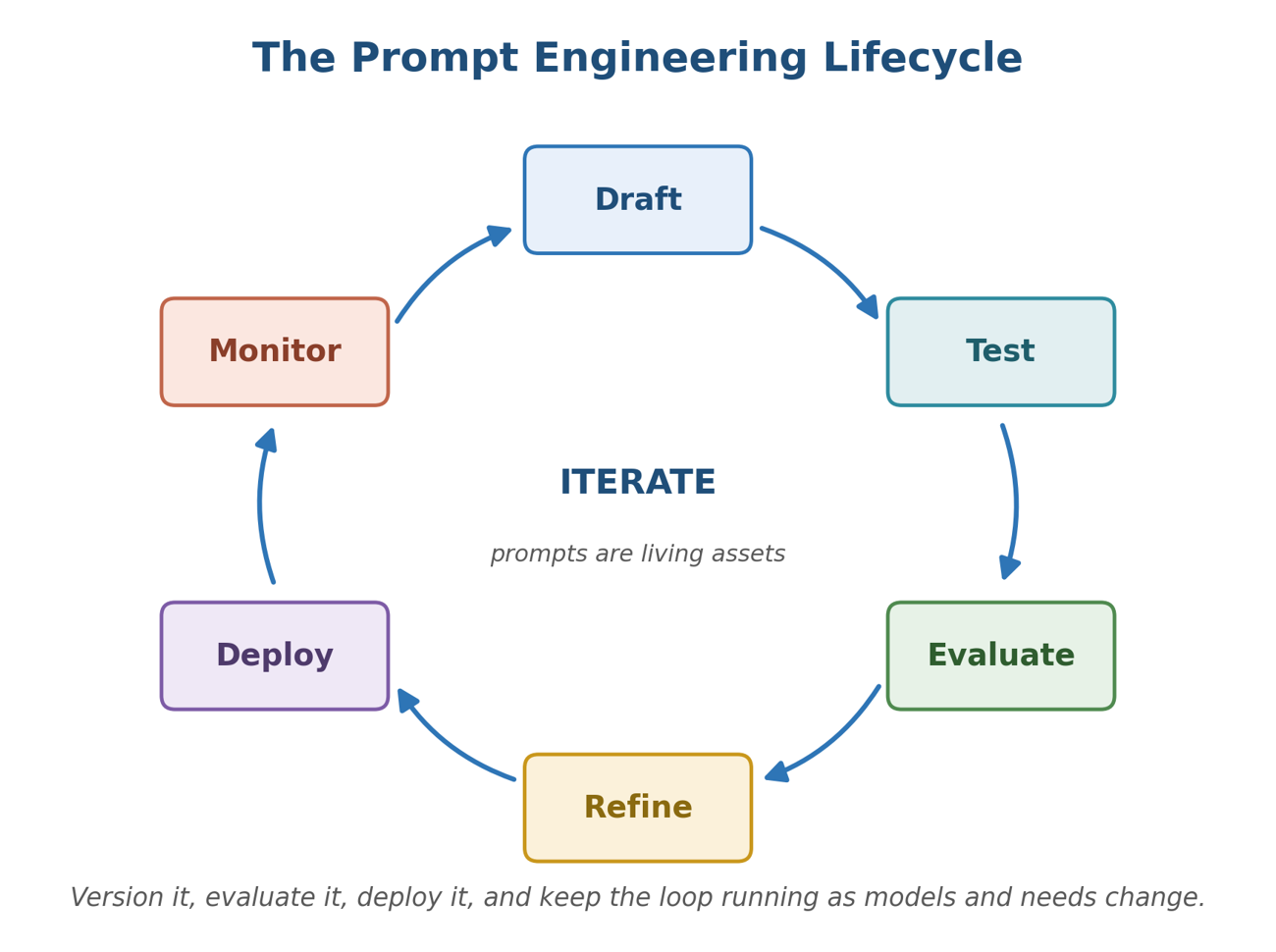
- Templatize with variables. Separate the stable instruction from the changing inputs so the same tested prompt serves every request.
- Version and review. Store prompts in source control, review changes like code, and tag which version is live.
- Build an evaluation set. Keep a fixed set of representative inputs with known-good outputs, and re-run it whenever you change a prompt or model.
- Monitor in production. Sample real outputs, track failure rates, and watch for drift after model upgrades.
- Govern for safety. Bake in guardrails, escalation paths, and human review for high-stakes decisions — don’t leave them to the prompt alone.
Pro tipWhen you upgrade to a newer model, re-run your evaluation set before assuming improvement. Better models change behaviour, and a prompt finely tuned to the old one occasionally regresses on the new one. Verify, don’t presume. |
A Quick-Start Checklist
Before you ship any business prompt, run it against these:
- Does it state the role and the task explicitly?
- Is all the context the model needs included — not assumed?
- Have you specified the exact output format you expect?
- Does it say what to do when the model is unsure?
- Are there one or two examples, including an edge case?
- Have you tested it on messy, real-world inputs?
- Is it versioned, with an evaluation set to catch regressions?
Frequently Asked Questions
Is prompt engineering still worth learning as models get smarter?
Yes. Stronger models follow instructions more faithfully, which rewards clear prompts and punishes sloppy ones. The skill shifts from coaxing the model toward specifying intent precisely — but it doesn’t disappear.
Do I need a technical background?
No. The core of prompt engineering is clear thinking and clear writing — defining the task, the inputs, and what a good answer looks like. The most valuable practitioners are often domain experts who know exactly what “correct” means for their work.
How long should a prompt be?
As long as it needs to be and no longer. Add the role, context, constraints, and examples the task genuinely requires; cut anything that doesn’t change the output. Clarity beats brevity, and both beat padding.
How do I know if a prompt is actually good?
Measure it. Build a small set of representative inputs with expected outputs, score the prompt against them, and compare versions. Gut feel from a few lucky runs isn’t evidence — a consistent pass rate is.
Key Takeaways Frequently Asked Questions
Is prompt engineering still worth learning as models get smarter?
Yes. Stronger models follow instructions more faithfully, which rewards clear prompts and punishes sloppy ones. The skill shifts from coaxing the model toward specifying intent precisely — but it doesn’t disappear.
Do I need a technical background?
No. The core of prompt engineering is clear thinking and clear writing — defining the task, the inputs, and what a good answer looks like. The most valuable practitioners are often domain experts who know exactly what “correct” means for their work.
How long should a prompt be?
As long as it needs to be and no longer. Add the role, context, constraints, and examples the task genuinely requires; cut anything that doesn’t change the output. Clarity beats brevity, and both beat padding.
How do I know if a prompt is actually good?
Measure it. Build a small set of representative inputs with expected outputs, score the prompt against them, and compare versions. Gut feel from a few lucky runs isn’t evidence — a consistent pass rate is.
- A prompt is a contract between business intent and model behaviour — design it deliberately.
- Specificity, grounding in your own data, and explicit output formats prevent most real-world failures.
- Match techniques to the use case; combine three or four plays rather than hunting for one magic line.
- Treat prompts as production assets: templatize, version, evaluate, monitor, and govern.
The teams getting real value from generative AI aren’t the ones with secret prompts. They’re the ones who treat prompting as a repeatable engineering practice — written down, tested, and improved. Start with one workflow, apply the plays above, and build from there.
Blog Author

Swapnil Gaikwad
Software Engineer
Intellify Solutions